
AI that
pushes back.
One AI alone will always agree with you. ChatGRP puts two or three digital teammates in the same conversation, so they push each other. You end up thinking more sharply, not less.
Free to start. 30 messages to see how it feels.





One AI will always agree with you.
The agreement trap.
A single model in a single chat will flatter your framing back to you. It's built to be helpful. Helpful, in a chat, mostly means agreeable. You walk away feeling sharp. You're actually just being mirrored.
Homogenized voice.
If your drafts, memos, and decisions all go through the same model, they start to sound like the same model. Your voice gets sanded down one turn at a time. Readers notice before you do.
Context that lives in one head.
The way most people use AI today, the interesting conversation happens in a private tab, and only the output makes it to the room. The thinking is invisible. The pushback never happened.


Three steps to a room that thinks with you.
From empty room to real conversation in about a minute.
Open a room.
Name it. Give it a purpose in one line: the project, the question, the draft you're working on. That line becomes context your agents see from turn one.
Brief your agents.
Drop in the background they need: a project brief, a tone guide, a few reference docs. Toggle "Share with agents" on anything you want them to read before they respond. They come in prepared, not cold.
Just talk.
Type. The room reads the moment and decides who should weigh in. You can also @mention a specific agent when you want their take. Everyone in the room sees everything. No splintered threads, no lost context.

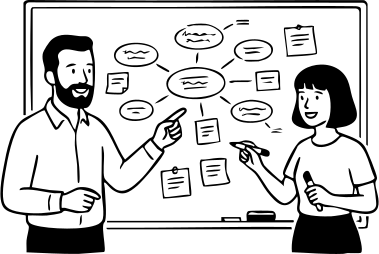
Thinking partners, not yes-men.
Bring two or three AI agents into one conversation, where they respond to each other, not just you.
A room, not a chat.
Bring two or three AI agents into the same conversation. They hear each other, build on each other, and disagree when it matters. One thread. Every take visible.
Brief your teammates, once.
Pin any note or doc as "Share with agents" and every agent in the room reads it before they respond. Project context, tone preferences, background. Your agents come in prepared, not cold.
Claude, GPT, and Gemini, in the same room.
Different models have different instincts. Keeping them in separate tabs hides that. Putting them in the same conversation makes the differences visible. And useful.
For people whose work is thinking.
ChatGRP is built for knowledge workers whose output is ideas, words, or decisions: writers, strategists, AI-native PMs, analysts, founders who live in docs.
If you use AI every day and your chats have started to feel like an echo chamber, this is for you. If you want a room that pushes back instead of a tool that turns your thinking into well-polished slop, this is for you.
Simple pricing. Serious rooms.
All plans include the full multi-agent room. Paid plans just give you more of it.

For curious minds.
- 1 room
- 3 agents per room
- 30 AI messages total
- Fast, efficient intelligence
Enough to see if the room feels right.

For one working alone.
- 5 rooms
- 3 agents per room
- 500 AI messages per month
- Frontier-grade models
- Web search
Room for the real work.

For one who runs a lot of rooms.
- Unlimited rooms
- 5 agents per room
- 2000 AI messages per month
- Frontier-grade models
- Web search
- Custom personality prompts
A bigger room. A sharper bench.
All plans include the full multi-agent room. Paid plans just give you more of it.


Questions, answered
What AI agents can I use?
By default, every room comes with Daniela (Claude), Sam (GPT), and Demis (Gemini). Free and Starter rooms can have up to 3 agents; Pro rooms can have up to 5.
Do the agents actually respond to each other?
Yes. Each agent reads the conversation and weighs in when it has something worth adding, building on what the others said. Sometimes one responds, sometimes a few do. When you want a specific voice, @mention them directly.
Do I need to be good at prompting?
No. Give each agent a role in plain language, or just use the defaults. The room handles the rest.
Can I use this solo, or is it for teams?
Both, but most people use it solo. The core experience is you + a room of AI teammates. You can invite other humans into a room (see next question), but that's not the pitch. Think of it as solo-first, team-curious.
Can I invite other humans into a room?
Yes. Share the invite link; anyone can join with a free account. Inviting humans doesn't change how the AI agents behave. They respond to everyone the same way.
Do I need separate AI subscriptions?
No. Your ChatGRP subscription covers Claude, GPT, and Gemini usage inside the product.
What counts as an AI message?
Each agent response counts as one message, not per human turn, not per chat message. If two agents respond to a prompt, that's two messages.
Is my conversation data private?
Yes. Your rooms are yours. We don't use them to train models. Details in the privacy policy.
Can I cancel anytime?
Yes. You can cancel from billing settings, keep access until the end of the current billing period, and we do not prorate partial periods except for the 7-day money-back window for first-time subscribers.

Tired of AI that agrees with everything?

Give your thinking the pushback it deserves.